
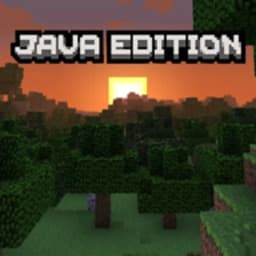
Screenshots
À propos de Java Edition UI for Minecraft
Transformez votre Minecraft Bedrock Edition avec Java Edition UI for Minecraft, un gestionnaire de packs de ressources et d'add-ons qui apporte le look classique de Java à votre jeu mobile. Vous aimez l'interface épurée et familière de Java Edition ? Cette application vous permet de remplacer l'interface par défaut de Bedrock par trois options personnalisables—originale, Mixed UI et PvP UI—pour que votre jeu ressemble exactement à ce que vous voulez.
Choisissez l'interface qui correspond à votre style de jeu. Chaque variante d'UI est conçue pour préserver ce qui rend Java Edition visuellement distincte tout en conservant le gameplay de Bedrock intact. Que vous soyez un joueur de longue date de Java passant à Bedrock ou simplement quelqu'un qui préfère cette esthétique, vous pouvez basculer entre les styles sans friction.
Télécharger et installer des add-ons se fait en un seul tap. L'application importe automatiquement le pack de ressources choisi dans Minecraft, éliminant la manipulation manuelle de fichiers qui accompagne habituellement la personnalisation. Chaque add-on comprend des descriptions détaillées et des captures d'écran, afin que vous sachiez exactement ce que vous installez avant de vous engager. L'interface légère garde tout réactif, même sur des appareils plus anciens.
Une compatibilité totale avec la dernière version de Minecraft signifie que vous ne serez jamais en retard sur les mises à jour. Pas de paywall, pas de publicités—téléchargez et activez votre UI préférée gratuitement. L'application fonctionne de manière indépendante et n'est ni approuvée ni affiliée à Mojang.
Nécessite Android 6.0 ou supérieur. Commencez dès maintenant votre aventure améliorée avec Java Edition UI for Minecraft.
Avantages et inconvénients
Avantages
- One-tap installation auto-imports resource packs into Minecraft
- Three customizable UI variants preserve Java Edition's visual style
- Completely free with no ads or paywalls
- Works on older Android devices without lag
Inconvénients
- Requires manual switching between UI variants each session
- No official Mojang endorsement or support for compatibility issues
- Resource packs may conflict with future Minecraft updates
- Limited to Bedrock Edition; Java Edition players cannot use it
Apps similaires

AlienGUIse
Thèmes de bureau et gestionnaire pour Windows — transformez votre système avec 5 designs futuristes.

SharpKeys
Réaffectez les touches du clavier pour lancer des applications, contrôler les médias et exécuter des commandes personnalisées sous Windows.

RocketDock
Lanceur de bureau pour Windows — dock d'accès rapide avec icônes et positionnement personnalisables.

Custom Resolution Utility (CRU)
Utilitaire de résolution d'affichage : Créez des résolutions personnalisées pour votre moniteur avec un contrôle précis du taux de rafraîchissement.

Lagguy Wallpapers
Lagguy
Fonds d'écran 4K et HD pour Android — designs minimalistes, abstraits, nature, AMOLED avec accès à vie

Lock Screen OS
Apps Genz
Personnalisez votre écran de verrouillage avec des widgets, des photos et des notifications. Remplacez l'écran de verrouillage par défaut d'Android.
Derniers articles

Tableau blanc gratuit en ligne comme Jamboard : utilisez Quickboard dans votre navigateur, sans inscription
Oct 6, 2026

Jouez à un jeu gratuit dans le style d'Alto's Adventure dans votre navigateur (pas de téléchargement)
Oct 6, 2026

Jouez à un jeu de puzzle Color Ball Sort gratuit dans votre navigateur (sans téléchargement)
Oct 6, 2026

Jouez à un jeu de course de buggy gratuit style Beach Buggy Racing dans votre navigateur (sans téléchargement)
Oct 6, 2026

Convertisseur gratuit de chiffres romains en ligne : instantané, sans inscription, fonctionne sur votre téléphone
Oct 6, 2026